

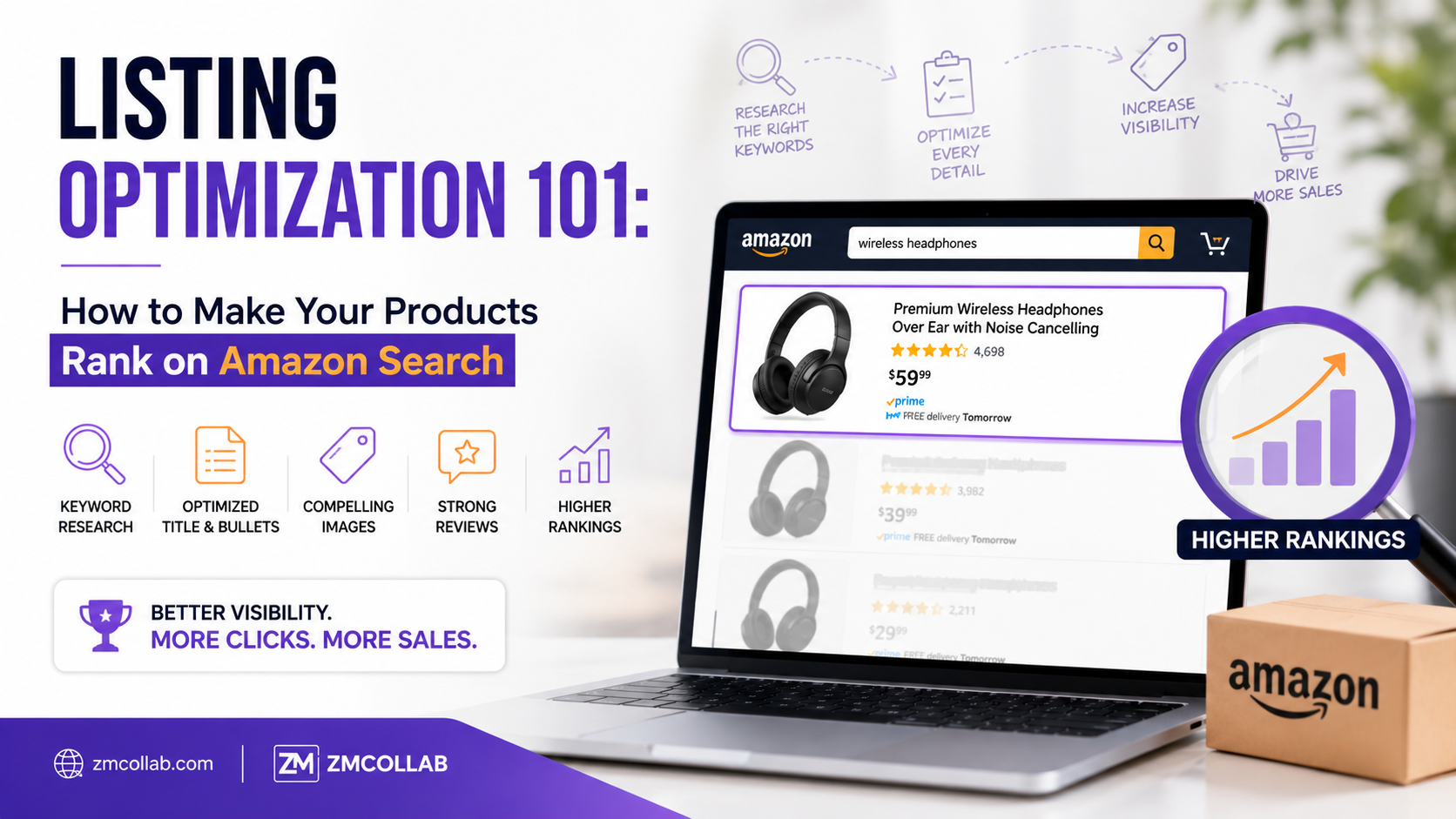
If your products aren’t showing up when shoppers search for them, listing optimization is usually the first place to look. Amazon’s search algorithm rewards listings that clearly match what shoppers are typing in — and most small sellers are leaving easy wins on the table without realizing it.
Here’s a practical breakdown of what actually affects your ranking.
How Does Amazon’s Search Algorithm Actually Work?
Amazon’s algorithm (often referred to as A9/A10) prioritizes listings based on relevance and performance. Relevance comes from how well your listing’s text matches a shopper’s search terms. Performance comes from factors like conversion rate, sales history, and customer reviews.
In simple terms: the algorithm wants to show shoppers listings that are both a good match for their search and likely to result in a completed sale.
Where Should You Focus Your Listing Optimization Efforts First?
Not all parts of your listing carry equal weight. Here’s where to prioritize.
- Product Title
Your title is one of the most heavily weighted fields for search relevance. Include your main keyword naturally, along with key details like brand, size, color, or quantity — but avoid keyword-stuffing, which can actually hurt readability and conversion.
Example: Instead of “Candle Soy Wax Candle Lavender Scent Candle Home Candle,” a clearer title like “Lavender Soy Wax Candle, 8 oz, Hand-Poured for Home Relaxation” covers relevant keywords while still reading naturally to a shopper.
- Bullet Points
Bullet points are where you translate features into benefits. Each one should address a specific reason a shopper might hesitate to buy, while still naturally including relevant secondary keywords.
- Backend Search Terms
Amazon gives sellers a hidden field for additional search terms that don’t need to appear in your visible listing. This is where you can include synonyms, alternate spellings, or related terms without cluttering your title or bullets.
- Product Images
While images don’t directly affect keyword matching, they significantly impact conversion rate — and conversion rate is a ranking factor. Listings with unclear or low-quality images tend to underperform even when the text is well optimized.
What’s the Difference Between Keyword Relevance and Conversion Rate?
These are two separate but connected factors:
- Keyword relevance determines whether your listing shows up for a given search at all
- Conversion rate determines whether Amazon continues to show your listing prominently over time, since a listing that gets clicks but few sales signals to Amazon that it may not be a strong match
A listing can rank well initially due to good keyword matching, but if conversion rate is low, visibility often declines over time. Optimization isn’t just about getting found — it’s about giving shoppers a reason to buy once they land on your page.
A Practical Example: Before and After Optimization
Consider a seller listing a stainless steel water bottle with a generic title like “Water Bottle” and minimal bullet points. This listing might only show up for broad, highly competitive searches where it’s unlikely to rank well against larger sellers.
After optimization — a title like “Insulated Stainless Steel Water Bottle, 32 oz, Leak-Proof for Sports and Travel,” detailed bullets addressing insulation performance and durability, and backend terms covering related searches like “reusable water bottle” — that same product becomes eligible to show up across a wider, more specific range of relevant searches.
How Long Does Listing Optimization Take to Show Results?
There’s no fixed timeline, and results vary based on competition, category, and how significant the changes are. Amazon typically re-indexes listings within a few days of an update, but ranking movement depends on ongoing performance signals like clicks and sales, not just the text changes themselves.
Patience and monitoring matter here — small, incremental improvements over time tend to be more sustainable than trying to force quick ranking jumps.
Common Listing Optimization Mistakes to Avoid
- Keyword stuffing titles: This can actually hurt readability and conversion, working against the very goal you’re trying to achieve
- Ignoring backend search terms: This is free additional keyword real estate that many sellers leave blank
- Using low-resolution or unclear main images: These directly hurt conversion rate, even for a well-optimized text listing
- Copying competitor listings word-for-word: Beyond potential policy issues, this doesn’t account for what’s actually relevant to your specific product variations
When Should You Get Help With Listing Optimization?
If you’re managing more than a handful of SKUs, or selling across Amazon alongside other marketplaces like eBay and Etsy, manually optimizing and monitoring every listing can quickly become a significant time investment. This is often the point where a more structured, ongoing approach makes sense rather than occasional manual updates.
ZM Collab’s ecommerce services team works with small sellers on listing structure and multi-marketplace strategy, helping identify where specific listings are underperforming and why.
Getting Started
Begin with your top 3–5 best-selling or highest-potential products. Rewrite titles and bullets with clear, natural keyword usage, fill in backend search terms, and review your main images critically. These changes cost nothing but time and are often where the biggest early improvements come from.
If you’d like a closer look at how your specific listings are performing, ZM Collab’s ecommerce services page is a good starting point for a more detailed review.
Image Alt Text Suggestions
- “Amazon product listing optimization example showing title and bullet points”
- “Before and after listing optimization comparison for Amazon search ranking”
- “Backend search terms field used for Amazon listing optimization”
Internal Linking Suggestions
- “ecommerce services team” → Ecommerce Services page
- “multi-marketplace strategy” → Ecommerce Services page (Amazon, eBay, Etsy focus)
- “automated listing and inventory monitoring” → Automation Services page
FAQ Section
What is listing optimization on Amazon? Listing optimization is the process of improving your product title, bullet points, images, and backend search terms so your listing matches relevant shopper searches and converts well once viewed. It affects both visibility in search results and sales performance.
How often should I update my Amazon listings? There’s no strict schedule, but reviewing top-performing listings every few months — or after noticeable ranking or sales changes — helps you catch outdated keywords or underperforming elements before they significantly affect visibility.
Do backend search terms actually affect Amazon ranking? Yes. Backend search terms let you include additional relevant keywords, synonyms, and alternate phrasing without cluttering your visible listing, giving Amazon’s algorithm more ways to match your product to relevant searches.
Can good images really improve my Amazon search ranking? Indirectly, yes. Images don’t directly affect keyword matching, but they strongly influence conversion rate, which is a ranking factor. A listing with unclear images may rank initially but lose visibility if shoppers click without buying.