

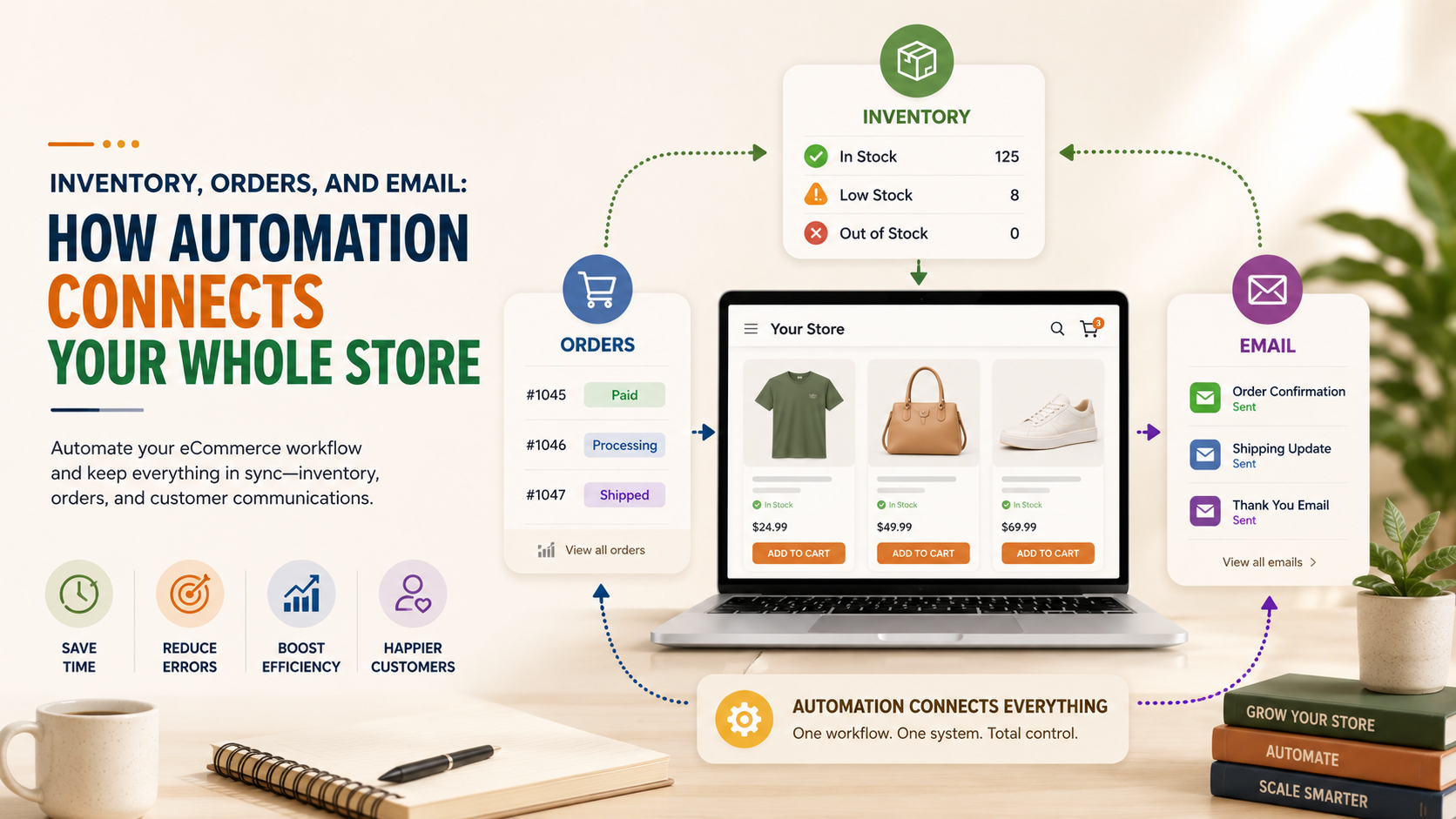
Running an online store often feels like juggling too many tasks at once. One order comes in, inventory needs updating, customers expect confirmation emails, and shipping information has to be accurate. If this sounds familiar, ecommerce workflow automation can help reduce repetitive work while keeping your store organized and responsive.
Automation doesn’t replace your involvement as a business owner. Instead, it connects the systems you already use so routine tasks happen consistently with less manual effort. That gives you more time to focus on customer service, marketing, and growing your business.
Why Small Online Stores Struggle With Disconnected Systems
Many small businesses start with simple tools that work well individually. As sales increase, those tools often stop communicating with one another.
Common challenges include:
- Inventory isn’t updated across every sales channel.
- Orders require manual data entry.
- Customers receive delayed email updates.
- Staff spend hours fixing avoidable mistakes.
- Information is duplicated in multiple places.
These problems become even more noticeable if you sell through Shopify, Amazon, Etsy, eBay, or your own website at the same time.
Connecting your systems helps information move automatically between platforms, reducing repetitive tasks and improving consistency.
How Ecommerce Workflow Automation Works
Think of automation as a bridge between the software your business already uses.
Instead of manually copying information from one platform to another, workflows transfer data based on rules you define.
For example:
- A customer places an order.
- The order is sent to your fulfillment system.
- Stock levels update across every connected sales channel.
- A confirmation email is automatically sent.
- Shipping information is shared with the customer once available.
Each step still depends on accurate business rules and oversight, but much of the repetitive work no longer requires manual input.
How to Automate Inventory Management Without Losing Control
One of the biggest operational headaches for ecommerce businesses is keeping inventory accurate.
When stock updates happen manually, it’s easy to oversell products or disappoint customers with unexpected backorders.
Businesses that automate inventory management can synchronize stock levels across multiple sales channels whenever sales or returns occur.
This helps with:
- Reducing overselling
- Improving stock visibility
- Keeping product availability consistent
- Saving staff from repetitive updates
Automation supports your inventory process—it doesn’t replace regular inventory checks or business decisions.
How to Automate Order Processing for Faster Operations
Every manual order requires time.
Someone may need to verify payment, enter shipping details, notify warehouse staff, and send customer emails.
When you automate order processing, those routine steps can be connected into one workflow.
For example:
| Manual Process | Automated Workflow |
| Copy customer information | Information transfers automatically |
| Update inventory manually | Inventory updates instantly |
| Send confirmation email | Email triggers automatically |
| Create shipping request | Shipping workflow starts automatically |
The result isn’t “hands-off” ecommerce. Instead, it’s a smoother process with fewer repetitive administrative tasks.
Why It’s Important to Connect Store Systems
Many businesses use different tools for different jobs:
- Ecommerce platform
- Accounting software
- Shipping provider
- Email marketing platform
- CRM
- Inventory software
When these systems operate independently, employees often spend valuable time moving information between them.
Choosing to connect store systems allows information to flow between applications instead of relying on manual updates.
This can improve:
- Order accuracy
- Customer communication
- Reporting consistency
- Team productivity
- Daily operational efficiency
The exact workflow depends on your business, products, and existing software.
A Practical Example
Imagine a small business selling home décor through Shopify and Amazon.
Without automation:
- Inventory is updated twice.
- Orders are entered manually.
- Confirmation emails are sent separately.
- Shipping details are copied into multiple systems.
The owner spends roughly 20 minutes managing each order.
For 25 daily orders:
20 minutes × 25 = 500 minutes (over 8 hours) every day.
With connected workflows, many repetitive administrative steps happen automatically. Staff still monitor orders, resolve exceptions, and handle customer questions, but much less time is spent on repetitive data entry.
What Does Ecommerce Automation Typically Cost?
Costs vary depending on the complexity of your store and the systems involved.
Here’s a simple comparison:
| Business Size | Typical Automation Needs |
| New store | Order notifications, email automation |
| Growing business | Inventory sync, shipping workflows, accounting integration |
| Multi-channel seller | Full inventory synchronization, marketplace integrations, reporting workflows |
While automation involves an upfront investment, many businesses evaluate it by comparing implementation costs with the hours spent each week on repetitive manual work.
Choosing the Right Automation Partner
Every ecommerce business has different processes.
Rather than installing dozens of disconnected apps, it often makes sense to build workflows around how your business actually operates.
ZM Collab helps businesses connect ecommerce platforms, automate routine workflows, and integrate business systems without adding unnecessary complexity. The goal is practical automation that supports your existing operations instead of forcing major process changes.
If your store also requires custom functionality beyond standard integrations, combining automation with tailored software can create a more efficient workflow as your business grows.
Final Thoughts
Running an online store will always require decision-making, customer support, and business oversight. However, repetitive administrative work doesn’t have to consume your day.
With thoughtful ecommerce workflow automation, you can automate inventory management, automate order processing, and connect store systems so information moves more efficiently across your business.
If you’re exploring ways to simplify your daily operations, visit ZM Collab’s Automation Services page to learn how connected workflows can support your ecommerce business.
Image Alt Text Suggestions
- Ecommerce workflow automation connecting inventory, orders, and customer email systems
- Small business dashboard showing automated inventory management across online stores
- Connected ecommerce store systems managing order processing and inventory updates
Internal Linking Suggestions
- Automation Services — “ecommerce workflow automation solutions”
- Ecommerce Services — “multi-channel ecommerce store management”
- Custom Web Apps — “custom business workflow software”
- Mobile App Development — “mobile apps for business operations”
FAQ
What is ecommerce workflow automation?
Ecommerce workflow automation connects the software your business already uses so routine tasks happen automatically based on predefined rules. It can synchronize inventory, process orders, send customer emails, and reduce repetitive manual work while still allowing business owners to oversee operations.
Can I automate inventory management if I sell on multiple platforms?
Yes. You can automate inventory management across platforms such as Shopify, Amazon, Etsy, and eBay by synchronizing stock updates whenever products are sold, returned, or restocked. This helps reduce manual updates and improves inventory consistency across channels.
Is it expensive to automate order processing?
The cost depends on your existing systems and workflow complexity. Some businesses begin with simple automations for order confirmations and inventory updates, while larger operations may connect accounting, shipping, and CRM software. Many business owners compare the investment with the time saved on repetitive administrative tasks.
Why should I connect store systems instead of using separate apps?
When you connect store systems, information moves automatically between your ecommerce platform, inventory software, shipping tools, email marketing platform, and other business applications. This reduces duplicate data entry, improves accuracy, and creates a smoother experience for both your team and your customers.