

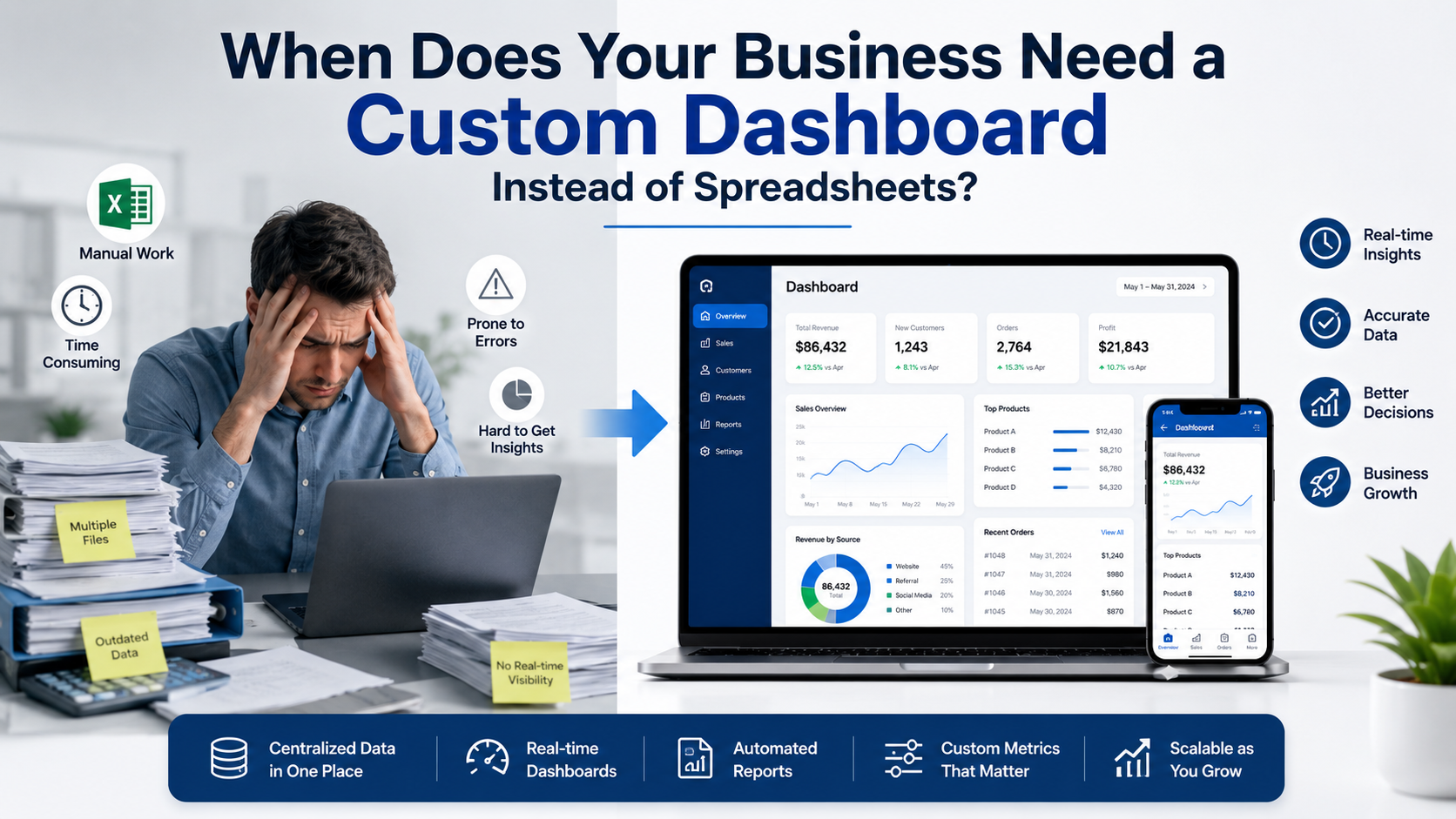
If your team spends hours updating spreadsheets, combining reports, or searching for the latest version of a file, it may be time to rethink your process. A custom business dashboard can help centralize important information, reduce manual reporting, and make it easier to track your business without constantly switching between multiple spreadsheets.
Spreadsheets remain useful for many businesses, especially in the early stages. However, as operations grow, manual reporting often becomes more time-consuming, harder to manage, and increasingly prone to errors. Knowing when to move beyond spreadsheets can save valuable time and provide clearer visibility into your business.
Why Spreadsheets Eventually Become Difficult to Manage
Spreadsheets are flexible, inexpensive, and familiar. That’s why many small businesses use them for everything from inventory tracking to sales reports.
As your business grows, though, new challenges often appear:
- Multiple versions of the same file
- Manual copy-and-paste between systems
- Delayed reporting
- Formula errors
- Limited collaboration
- Difficulty finding accurate, real-time data
When these issues become part of your daily workflow, your spreadsheets may be slowing your business rather than supporting it.
When Should You Replace Spreadsheets?
The decision to replace spreadsheets isn’t based on company size alone. It’s about the complexity of your daily operations.
Some common signs include:
- Your team updates the same information in multiple places.
- Reports take hours to prepare every week.
- Employees regularly ask which spreadsheet is current.
- Business data comes from several different platforms.
- Decision-making is delayed because reports aren’t available in real time.
If these situations sound familiar, it may be time to replace spreadsheets with a solution designed specifically for your workflow.
What Is a Custom Business Dashboard?
A custom business dashboard is a centralized application that gathers information from the systems your business already uses and presents it in one place.
Instead of opening multiple spreadsheets, business owners can view key information through a single interface.
Depending on your business, a dashboard may display:
- Sales performance
- Inventory levels
- Customer orders
- Shipping status
- Marketing metrics
- Financial summaries
- Employee activity
The dashboard is designed around your business processes, making it easier to access the information that matters most.
How a Custom Reporting Tool Improves Decision-Making
One of the biggest advantages of a custom reporting tool is having consistent information available without manually building reports.
Instead of collecting data from multiple sources every week, the dashboard can display information from connected systems automatically.
Benefits include:
- Faster reporting
- Reduced manual data entry
- Better visibility across departments
- More consistent reporting
- Easier access to business insights
A custom reporting tool doesn’t replace analysis—it simply reduces the time spent gathering information.
Custom Business Dashboard vs Spreadsheets
Here’s a practical comparison.
| Feature | Spreadsheet | Custom Business Dashboard |
| Manual updates | Frequent | Minimal when connected to systems |
| Real-time information | Limited | Available through integrations |
| Multiple users | Can become confusing | Centralized access |
| Reporting | Often manual | Automated dashboards and reports |
| Scalability | More difficult as data grows | Designed to grow with the business |
Spreadsheets remain useful for calculations, planning, and one-off projects. A dashboard becomes valuable when business information needs to stay accurate, connected, and easily accessible.
A Practical Example
Imagine an online retailer selling through Shopify, Amazon, and eBay.
Every Monday, an employee spends:
- 45 minutes exporting sales reports
- 30 minutes updating inventory spreadsheets
- 30 minutes creating management reports
- 15 minutes checking for reporting errors
That’s two hours every week devoted to reporting before any business decisions are made.
With a custom business dashboard, those systems can be connected so current sales, inventory, and order information appears in one location. Employees still review the information, but they spend far less time collecting it.
Choosing the Right Business Dashboard Software
Not every company needs the same dashboard.
Good business dashboard software should reflect your specific workflow rather than forcing your business to adapt to generic reporting tools.
When evaluating business dashboard software, consider whether it can:
- Connect your existing systems
- Display the metrics you actually use
- Support multiple users
- Scale as your business grows
- Reduce manual reporting tasks
The goal isn’t to replace every spreadsheet overnight. It’s to simplify reporting where spreadsheets are creating unnecessary work.
How ZM Collab Builds Dashboards Around Your Business
Every business collects different information, uses different software, and follows different processes.
Instead of relying on generic templates, ZM Collab develops custom business dashboards that connect ecommerce platforms, internal systems, and operational data into one centralized workspace. This allows business owners and teams to access the information they need without juggling multiple spreadsheets or disconnected reports.
For businesses that require additional functionality, dashboards can also be integrated with automation workflows and custom web applications to support long-term growth.
Final Thoughts
Spreadsheets remain a valuable business tool, but they’re not always the right long-term solution.
If reporting is becoming repetitive, data is scattered across multiple systems, or your team spends too much time maintaining spreadsheets, a custom business dashboard may provide a more efficient way to manage information.
If you’re ready to explore reporting tools built around your workflow, visit ZM Collab’s Custom Web Apps page to learn how a custom dashboard can simplify your business operations.
Image Alt Text Suggestions
- Custom business dashboard displaying ecommerce sales, inventory, and reporting data
- Business owner replacing spreadsheets with a custom business dashboard
- Custom reporting tool connected to multiple ecommerce business systems
Internal Linking Suggestions
- Custom business dashboard development → Custom Web Apps
- Multi-channel ecommerce solutions → Ecommerce Services
- Workflow automation for growing businesses → Automation Services
- Mobile business applications → Mobile App Development
FAQ
What is a custom business dashboard?
A custom business dashboard is a centralized application that gathers information from multiple business systems and displays important metrics in one place. It helps business owners monitor operations without manually combining data from several spreadsheets or software platforms.
When should I replace spreadsheets with a dashboard?
You should consider replacing spreadsheets when reporting becomes repetitive, multiple team members edit the same files, business data comes from several systems, or manual updates consume valuable time. A dashboard can simplify reporting while improving access to current business information.
What is the difference between a custom reporting tool and a spreadsheet?
A spreadsheet is primarily used for manual calculations and data entry, while a custom reporting tool automatically displays connected business data in a structured dashboard. This reduces repetitive reporting tasks and provides easier access to important information.
Is business dashboard software suitable for small businesses?
Yes. Business dashboard software can benefit small businesses by organizing information from ecommerce platforms, accounting software, inventory systems, and other tools. The right solution depends on your workflow and reporting needs rather than the size of your business.