

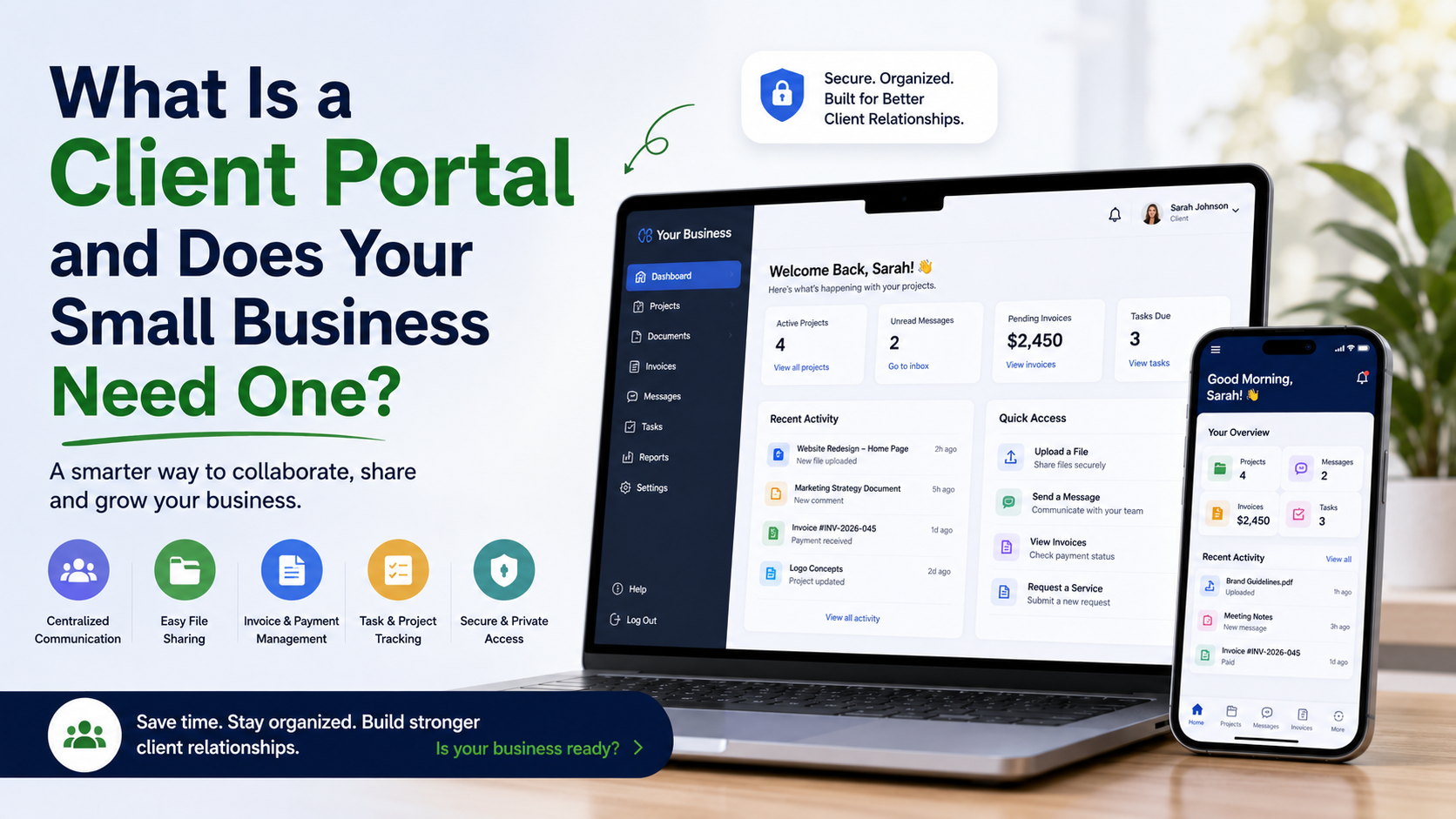
If you’re constantly replying to the same emails, searching for shared files, or updating customers on project progress, it may be time to rethink how you communicate. A client portal for small business gives your customers one secure place to access information, upload documents, track requests, and stay informed without relying on endless email chains.
Not every business needs a client portal, but for companies managing ongoing customer relationships, projects, or services, it can simplify communication and improve the overall customer experience. The key is understanding when a portal adds value and when simpler tools are enough.
What Is a Client Portal for Small Business?
A client portal for small business is a secure online space where customers can log in to access information related to their account.
Instead of emailing files back and forth or requesting updates by phone, clients can use the portal to:
- View project progress
- Download invoices or documents
- Upload files
- Submit support requests
- Review order history
- Update account information
- Communicate with your team
Because everything is organized in one location, both businesses and customers spend less time searching for information.
Do I Need a Client Portal?
One of the most common questions business owners ask is, do I need a client portal?
The answer depends on how you interact with your customers.
You may benefit from a portal if your business regularly:
- Shares important documents
- Manages long-term client projects
- Provides ongoing services
- Handles frequent customer requests
- Requires secure file sharing
- Sends recurring invoices
- Offers account-specific information
If customers repeatedly email asking for updates or documents, it may be a sign that do I need a client portal is the right question to ask.
How a Custom Client Portal Supports Your Workflow
Every business works differently.
That’s why many companies choose a custom client portal rather than relying solely on generic software.
A custom solution can be designed around your existing processes and integrate with the systems you already use.
For example, a custom client portal might connect with:
- Ecommerce platforms
- CRM software
- Accounting systems
- Inventory management
- Scheduling tools
- Support ticket systems
- Internal dashboards
Instead of requiring employees to switch between multiple applications, the portal centralizes customer interactions in one place.
Client Portal Software vs Email and Shared Drives
Many small businesses rely on email and cloud storage to communicate with customers.
While this approach works for smaller workloads, it can become difficult to manage as your business grows.
Here’s a comparison:
| Feature | Email & Shared Drives | Client Portal Software |
| File organization | Often scattered | Centralized by client |
| Customer access | Manual sharing | Secure login anytime |
| Project updates | Email threads | Visible in one dashboard |
| Document history | Difficult to track | Organized automatically |
| User permissions | Limited | Configurable access levels |
Client portal software isn’t intended to replace personal communication. Instead, it provides a structured place for routine information that customers need to access regularly.
A Practical Example
Imagine a web design agency managing 20 active clients.
Without a portal, the team spends time:
- Emailing design revisions
- Sending invoices
- Answering project status questions
- Searching for uploaded files
- Confirming document versions
Suppose these tasks average 15 minutes per client each week.
That’s 300 minutes, or five hours every week, spent on repetitive communication and file management.
With a centralized portal, clients can log in to view updates, access files, and review project information independently. Employees still provide support and answer questions, but much of the routine information is available in one secure location.
When Client Portal Software Makes Sense
Not every business needs dedicated client portal software.
However, it becomes increasingly valuable when:
- You manage ongoing customer relationships.
- Clients regularly request updates.
- Sensitive files are exchanged.
- Multiple employees work with the same customer.
- Customers need access outside business hours.
- Information changes frequently.
Businesses offering professional services, consulting, ecommerce support, maintenance plans, or recurring customer relationships often benefit the most.
What Features Should a Client Portal Include?
The right portal depends on your business, but useful features often include:
- Secure customer login
- File uploads and downloads
- Project tracking
- Messaging
- Invoice access
- Order history
- Notifications
- User permissions
- Mobile-friendly interface
Rather than adding unnecessary complexity, the goal is to include features your customers actually use.
How ZM Collab Builds Custom Client Portals
Every business serves customers differently, so a one-size-fits-all solution isn’t always the right fit.
ZM Collab develops custom client portals that integrate with ecommerce platforms, internal systems, and business workflows. Instead of forcing businesses to change their processes, each portal is designed around how the company already operates, making communication, file management, and customer access more efficient.
For businesses with additional operational needs, client portals can also connect with automation workflows and custom web applications to create a more unified digital experience.
Final Thoughts
A client portal for small business isn’t necessary for every company, but it can become an important tool as customer interactions become more complex.
If your team spends hours answering routine questions, managing document requests, or organizing project updates, a portal may simplify both customer communication and internal workflows.
If you’re exploring a solution tailored to your business, visit ZM Collab’s Custom Web Apps page to learn how a custom client portal can support your customers and your team.
Image Alt Text Suggestions
- Client portal for small business displaying customer dashboard and project updates
- Custom client portal with secure document sharing and account management
- Client portal software helping a small business manage customer communication
Internal Linking Suggestions
- Custom client portal development → Custom Web Apps
- Ecommerce solutions for online businesses → Ecommerce Services
- Business workflow automation services → Automation Services
- Mobile apps for customer engagement → Mobile App Development
FAQ
What is a client portal for a small business?
A client portal for small business is a secure online platform where customers can access documents, invoices, project updates, support requests, and account information. It helps organize communication while reducing the need for repeated emails and manual file sharing.
Do I need a client portal for my business?
If customers frequently request updates, exchange documents, or work with your business over an extended period, a client portal may improve communication and organization. Businesses with ongoing client relationships often benefit the most from having one centralized location for customer information.
What is the difference between client portal software and email?
Client portal software centralizes customer information, files, and communication in one secure location. Email is useful for conversations, but important documents and updates can become difficult to track over time. A portal helps keep everything organized and easily accessible.
Can a custom client portal integrate with my existing software?
Yes. A custom client portal can often integrate with ecommerce platforms, CRM systems, accounting software, scheduling tools, inventory management, and other business applications. This allows customer information to stay connected while reducing manual administrative work.