

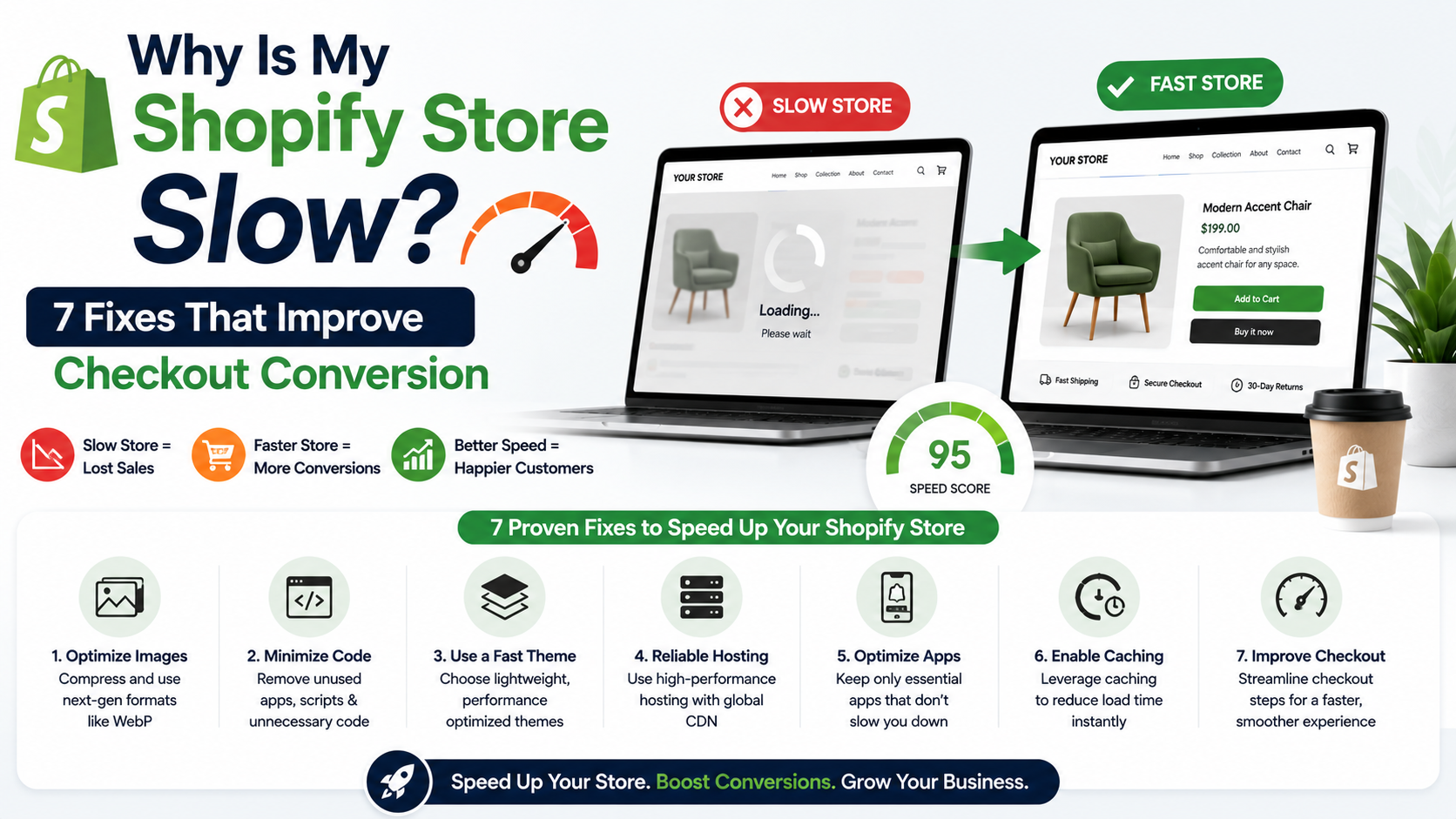
If you’ve typed “why is my Shopify store slow” into Google while watching your cart abandonment rate climb, you’re not imagining it. A sluggish store doesn’t just frustrate customers — it quietly costs you sales at the exact moment they’re ready to buy.
The good news: most speed issues come from a handful of common causes, and most are fixable without a full rebuild.
Does Site Speed Actually Affect Checkout Conversion?
Yes. Every extra second a page takes to load gives a shopper more time to hesitate, get distracted, or hit the back button. This is especially true at checkout, where friction of any kind — slow loading, confusing steps, unexpected delays — tends to push undecided buyers away.
Speed isn’t just a technical metric. It’s directly tied to whether people finish the purchase they already started.
- Too Many Apps Running at Once
Every Shopify app you install adds its own scripts, which load in the background even if you rarely use the app. A store running 15–20 apps often loads noticeably slower than one running 5–8 essential ones.
Fix: Audit your installed apps quarterly. Remove anything you haven’t used in the last 60 days, and check your theme settings for apps that were installed but never fully removed from the code.
- Unoptimized Product Images
High-resolution photos look great but can bloat page load times significantly. A single unoptimized image can be 3–5MB when it should be under 200KB.
Fix: Compress images before uploading, and use Shopify’s built-in responsive image sizing rather than uploading oversized files and letting the browser scale them down.
- A Heavy or Poorly Coded Theme
Some free and premium themes are packed with features you’ll never use — sliders, animations, extra scripts — all of which load regardless of whether they’re active on a given page.
Fix: Run your store through Google PageSpeed Insights or Shopify’s own speed report (found in Online Store > Themes) to see which theme elements are the biggest contributors to load time.
- Third-Party Scripts and Tracking Pixels
Marketing tools, chat widgets, and analytics pixels are useful, but each one adds a small delay. Stack five or six of them and the cumulative effect becomes noticeable.
Fix: Consolidate tracking where possible, and load non-essential scripts asynchronously so they don’t block the main page content from displaying.
How Many Apps Is “Too Many” for Shopify?
There’s no fixed number, but a useful gut check: if you can’t explain what a specific app does for your business right now, it’s a candidate for removal. Fewer, more purposeful apps almost always outperform a large stack of “just in case” tools.
- Slow or Cluttered Checkout Customizations
Custom checkout fields, extra upsell steps, and third-party checkout apps can all add friction. On Shopify Plus, deep checkout customization is possible, but it needs to be built carefully to avoid slowing down the exact page where speed matters most.
Fix: Keep checkout customizations minimal and test load times specifically on the checkout page, not just your homepage.
- No Content Delivery Network (CDN) Optimization
Shopify includes a CDN by default, but if you’re loading assets (fonts, external scripts, embedded videos) from outside sources, those requests can bypass that speed advantage.
Fix: Where possible, host assets through Shopify’s system rather than pulling them from external servers.
A Quick Cost Comparison
Here’s what store owners often try, and roughly what it costs:
- DIY app cleanup + image compression: Free–$50 (using free tools), a few hours of your time
- Theme optimization or lightweight theme switch: $0–$350 depending on the theme
- Professional site speed audit and fixes: Typically $500–$2,500 depending on store complexity
- Custom checkout or storefront development: Varies significantly based on scope
For many small stores, a focused cleanup of apps and images solves 60–70% of the problem before any paid help is needed.
- Underlying Platform Limitations
Sometimes speed issues aren’t about apps or images at all — they’re a sign your store has outgrown what a standard theme and app stack can efficiently handle, especially with large catalogs or complex logic.
If you’ve already tried the fixes above and performance still lags, it may be worth a professional look at your store’s setup. ZM Collab’s ecommerce services team regularly works through exactly this kind of Shopify performance troubleshooting for small business stores.
What Should You Do First?
Start with the free fixes: remove unused apps, compress images, and check your theme’s speed report. These three steps alone often make a measurable difference without spending anything.
If speed issues persist after that, it’s usually a sign of a deeper structural issue worth a professional audit rather than more guesswork.
Struggling to pinpoint what’s actually slowing down your store? You can reach out to ZM Collab’s ecommerce services page for a closer look at your specific setup.
Image Alt Text Suggestions
- “Shopify store speed report showing why a Shopify store is slow”
- “Comparison of optimized vs unoptimized product images on Shopify”
- “Shopify checkout page load time diagnostic screenshot”
Internal Linking Suggestions
- “ecommerce services team” → Ecommerce Services page
- “custom checkout or storefront development” → Custom Web Apps page
- “automating routine store maintenance tasks” → Automation Services page
FAQ Section
Why is my Shopify store slow even with a fast theme? Even with a lightweight theme, too many apps, unoptimized images, or excessive third-party scripts can slow your store significantly. Speed issues are usually cumulative, so it’s worth auditing your full setup rather than assuming the theme alone is responsible.
Does a slow Shopify store actually hurt sales? Yes. Slow load times, especially at checkout, give shoppers more opportunity to abandon their cart. While exact impact varies by store, reducing friction at checkout is one of the more direct ways to support conversion.
How can I check my Shopify store’s speed for free? Use Google PageSpeed Insights or Shopify’s built-in speed report under Online Store > Themes. Both tools identify which specific elements — apps, images, scripts — are slowing your store down, giving you a starting point for fixes.
Should I switch Shopify themes to fix slow load times? Not always. Many speed issues come from apps and unoptimized images rather than the theme itself. Try cleanup steps first; if your current theme is genuinely heavy or outdated, switching may still be worth considering afterward.