

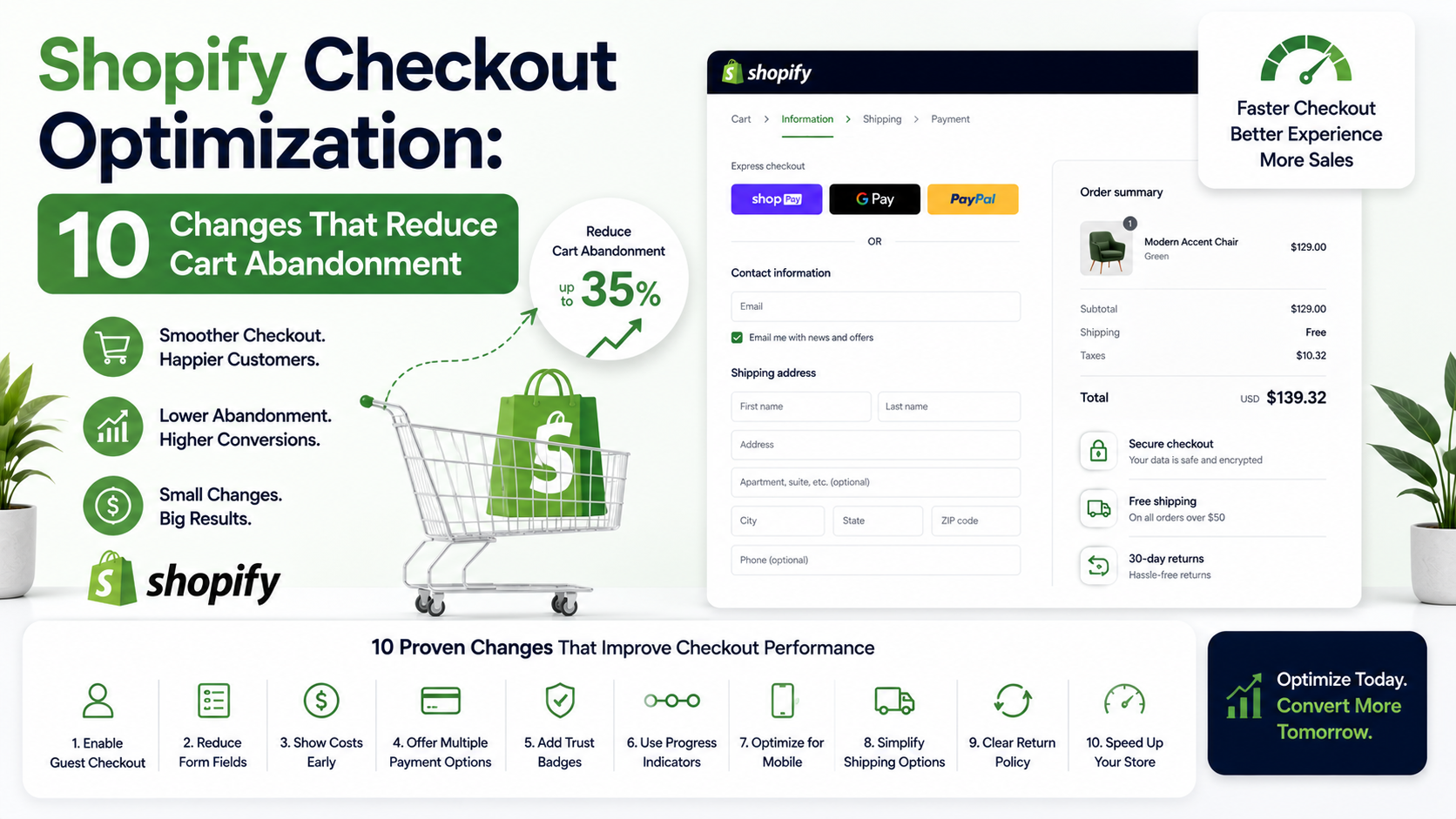
If shoppers keep adding items to their cart and then disappearing, Shopify checkout optimization is probably the fastest place to start looking. Cart abandonment isn’t always about price — often it’s friction at the exact moment someone is ready to pay.
Here are 10 concrete changes worth checking on your store.
Why Do Shoppers Abandon Their Cart at Checkout?
The reasons vary, but a few show up consistently: unexpected costs, too many steps, forced account creation, and limited payment options. Each one adds a small moment of hesitation — and hesitation at checkout often means a lost sale.
The goal of checkout optimization isn’t to trick people into buying. It’s to remove unnecessary obstacles between “I want this” and “purchase complete.”
- Show Shipping Costs Earlier
Unexpected shipping fees at the final step are one of the most common reasons shoppers abandon carts. Add a shipping estimator on the product or cart page so there are no surprises later.
- Enable Guest Checkout
Forcing account creation adds an extra step many shoppers don’t want to deal with, especially first-time buyers. Guest checkout removes that barrier while still letting you capture email addresses for follow-up.
- Reduce the Number of Checkout Steps
Shopify’s default checkout is already fairly streamlined, but extra custom fields or unnecessary confirmation screens can add friction. Review your checkout flow and remove anything that isn’t strictly necessary.
- Offer Multiple Payment Options
Not everyone wants to enter a credit card. Options like Shop Pay, PayPal, Apple Pay, and Google Pay let shoppers use whatever’s fastest for them, which can shorten checkout time significantly.
How Many Payment Options Should a Small Store Offer?
There’s no fixed number, but offering at least 2–3 options beyond standard credit card entry (like a digital wallet and PayPal) covers most shopper preferences without cluttering the checkout page.
- Optimize for Mobile Checkout Specifically
A large share of Shopify traffic comes from mobile devices, and a checkout that works fine on desktop can feel cramped or slow on a phone. Test your actual checkout flow on a mobile device, not just the desktop preview.
- Add Trust Signals Near the Payment Fields
Security badges, clear return policy links, and visible customer support contact info near checkout can ease last-minute hesitation, especially for first-time buyers who aren’t yet familiar with your store.
- Send Abandoned Cart Emails — But Time Them Well
A cart abandonment email sent within an hour tends to perform better than one sent a day later, since the shopper’s intent is still fresh. Shopify’s built-in automation or a connected email tool can handle this without manual tracking.
A Quick Cost Comparison for Cart Recovery Tools
- Shopify’s built-in abandoned cart emails: Free, included in most plans
- Dedicated email marketing app with advanced automation: Roughly $20–$100/month depending on list size
- Custom-built recovery flow with SMS + email: Varies based on scope, but can combine multiple channels beyond what basic apps offer
For many small stores, starting with Shopify’s built-in tool and upgrading only if needed is the more budget-conscious path.
- Simplify Discount Code Entry
A discount code field that’s hard to find — or that shoppers assume they need but don’t have — can stall checkout while people search for a coupon elsewhere. Consider whether that field needs to be prominently displayed or tucked away for shoppers not using a code.
- Make Your Return Policy Easy to Find
Shoppers who aren’t sure about your return policy may hesitate to complete a purchase, especially for higher-priced items. A clear, easy-to-find return policy link near checkout can reduce that specific type of hesitation.
- Test and Monitor, Don’t Set and Forget
Checkout behavior shifts over time as your traffic sources, products, and customer base change. What worked six months ago may not be the current bottleneck. Regularly check your Shopify analytics for where in the checkout flow people are dropping off.
What If You’ve Tried These and Abandonment Is Still High?
If you’ve made these adjustments and cart abandonment hasn’t meaningfully improved, the issue may be more structural — like page load speed, an outdated checkout customization, or specific friction points unique to your product type. At that point, a more detailed audit is often more useful than continuing to guess.
This is the kind of diagnostic work ZM Collab’s ecommerce services team handles regularly for small Shopify stores, looking at checkout flow, page speed, and app conflicts together rather than in isolation.
Where Should You Start?
Begin with the free, low-effort changes: enabling guest checkout, showing shipping costs earlier, and reviewing your checkout steps for anything unnecessary. These take minimal time and often produce a noticeable difference on their own.
If cart abandonment remains high after that, it may be worth a closer look at what’s specifically happening in your checkout flow. You can explore ZM Collab’s ecommerce services page to see how a more detailed audit could help pinpoint the issue.
Image Alt Text Suggestions
- “Shopify checkout optimization example showing shipping cost estimator”
- “Mobile Shopify checkout page tested for cart abandonment issues”
- “Comparison of Shopify checkout payment options for small stores”
Internal Linking Suggestions
- “ecommerce services team” → Ecommerce Services page
- “custom-built recovery flow with SMS + email” → Custom Web Apps page
- “Shopify’s built-in automation” → Automation Services page
FAQ Section
What’s the average cart abandonment rate for Shopify stores? Cart abandonment rates vary widely by industry and traffic source, so there’s no single reliable average to apply to every store. Rather than chasing a benchmark number, it’s more useful to track your own store’s rate over time and watch for changes.
Does guest checkout actually reduce cart abandonment? It can help, since forced account creation adds an extra step some shoppers skip out on. Guest checkout removes that barrier while still allowing you to capture the customer’s email for order confirmation and follow-up marketing.
How quickly should I send an abandoned cart email? Sending within the first hour after abandonment is generally more effective than waiting a full day, since the shopper’s intent is still recent. Shopify’s built-in tools or connected email apps can automate this timing.
Is Shopify checkout optimization a one-time fix? No. Checkout behavior shifts as your traffic, products, and customer base change over time. Periodic review of your checkout analytics helps catch new friction points before they meaningfully affect conversion.