

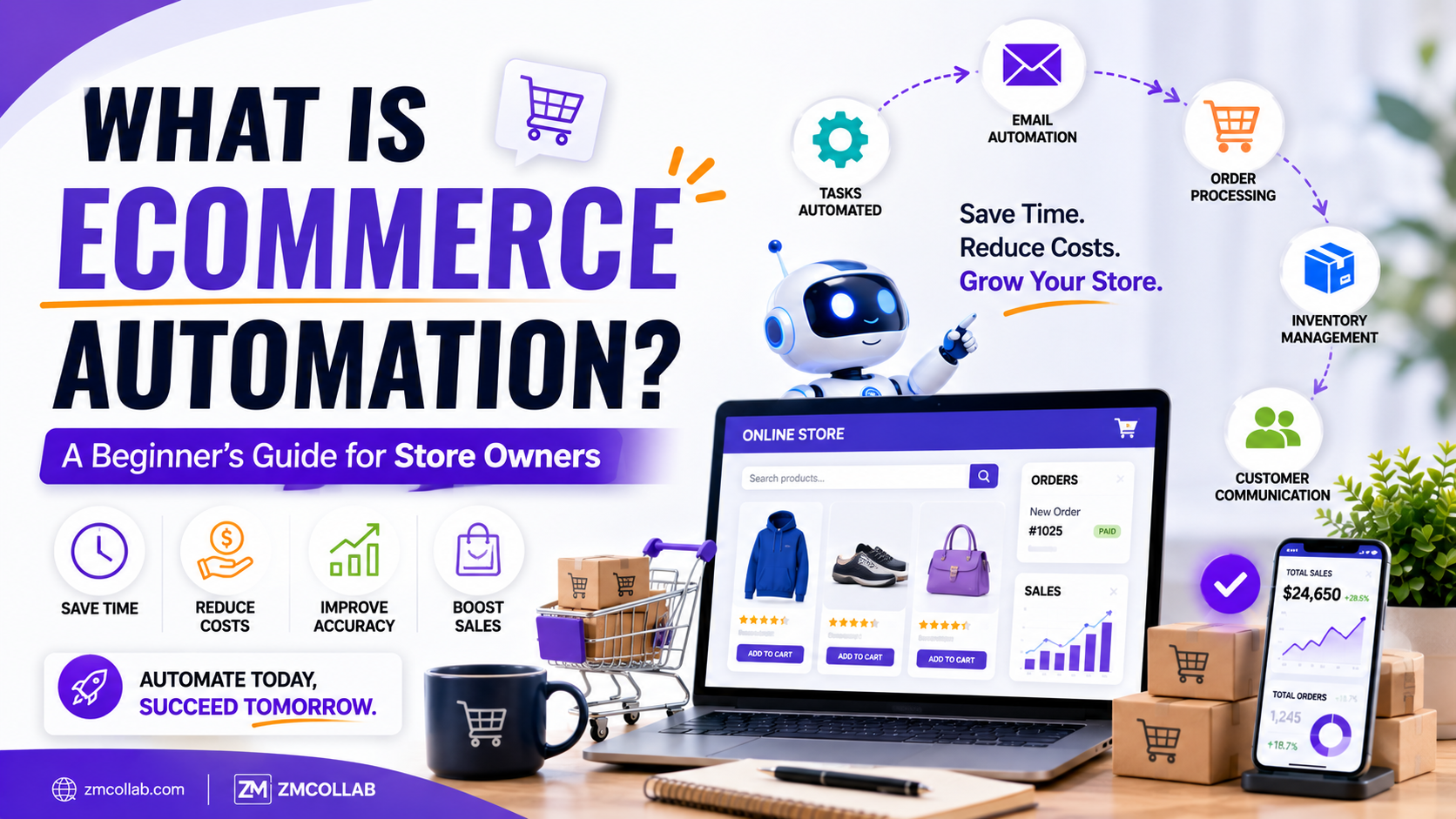
If you’ve heard the term ecommerce automation but aren’t quite sure what it means beyond a vague promise to “save time,” you’re not alone. In plain terms, it’s the use of software to handle repetitive, rule-based tasks in your online store — things like order updates, inventory syncing, and follow-up emails — without you doing them manually every time.
It’s not magic, and it doesn’t mean your store manages itself. But used well, it can meaningfully cut down on manual work.
What Does Ecommerce Automation Actually Do?
At its core, ecommerce workflow automation connects different parts of your store’s operations so they trigger actions automatically based on rules you set. When a customer places an order, for example, automation can trigger a confirmation email, update inventory, and notify your fulfillment process — all without you touching each step by hand.
The key word is “rule-based.” Automation handles predictable, repeatable actions. It’s not designed to make judgment calls or handle situations outside the rules you’ve defined.
What Tasks Can You Automate Online Store Operations For?
Some of the most common areas small store owners automate include:
- Order confirmations and shipping notifications — triggered automatically when order status changes
- Inventory updates — syncing stock levels across your store and any marketplaces you sell on
- Abandoned cart emails — sent automatically after a set time window
- Customer segmentation for marketing — grouping customers based on purchase behavior for targeted campaigns
- Basic customer support responses — handling frequently asked questions before a human needs to step in
Each of these individually might only save a few minutes at a time, but across dozens or hundreds of orders a week, that time adds up.
What’s an Example of Ecommerce Automation in Practice?
Consider a small store processing 100 orders a week. Without automation, sending shipping notifications manually might take 3–5 minutes per order — roughly 5–8 hours a week just on that one task.
With automation for shopify stores handling that same notification process, the task still happens for every order, but the store owner isn’t manually triggering it. The time isn’t eliminated from the business entirely — it’s redirected toward things automation can’t do, like responding to unique customer questions or refining product listings.
Is Ecommerce Automation Only for Shopify Stores?
No. While Shopify has strong built-in automation options and a large app ecosystem, similar principles apply across Amazon, eBay, Etsy, and custom-built stores. The tools differ by platform, but the underlying idea — using rules to trigger repetitive actions — is the same.
For sellers managing multiple channels, automation becomes especially relevant, since manually keeping inventory and order data in sync across three or four platforms is one of the most time-consuming parts of running a multi-channel store.
What Does Ecommerce Automation Cost?
Costs vary based on how much automation you’re setting up and whether you use off-the-shelf tools or a custom-built solution:
| Automation Approach | Typical Cost |
| Built-in Shopify automation (email triggers, basic flows) | Free–$20/month |
| Third-party automation apps (inventory sync, marketing automation) | $20–$150/month depending on volume |
| Custom-built automation for specific workflows | Project-based cost, varies with complexity |
For most small stores just getting started, built-in and low-cost app-based tools cover the basics well. Custom automation tends to make more sense once your workflows are specific enough that generic tools no longer fit — like syncing inventory across a mix of platforms with different rules for each.
How Do You Know If You Need Custom Automation vs. an App?
If a pre-built app handles your exact need — most abandoned cart or basic inventory sync scenarios do — there’s rarely a reason to build something custom. Custom automation becomes worth considering when your workflow involves multiple systems, unusual business logic, or integrations that off-the-shelf apps don’t support well.
Common Misconceptions About Ecommerce Automation
It’s worth being clear about what automation isn’t:
- It doesn’t run your business for you. It handles specific, predictable tasks — not decision-making, strategy, or customer relationships that need a human touch.
- It’s not instantly free. Even low-cost tools have a learning curve and setup time, and some ongoing maintenance is usually needed as your store evolves.
- It’s not one-size-fits-all. What makes sense for a 10-SKU store selling only on Shopify looks different from what makes sense for a seller managing inventory across four platforms.
Getting Started With Ecommerce Automation
If you’re new to this, start small: pick one repetitive task — abandoned cart emails or inventory syncing are common starting points — and set up automation for just that. Once it’s working reliably, expand from there rather than trying to automate everything simultaneously.
If your store’s workflows are complex enough that off-the-shelf tools aren’t quite fitting, or you’re managing multiple sales channels and want a more coordinated setup, ZM Collab’s automation services team works with small store owners to figure out which specific tasks are worth automating and how.
The Bottom Line
Ecommerce automation is a practical tool for reducing repetitive manual work, not a shortcut to a business that requires no attention. Starting with one or two high-impact tasks is usually more effective than trying to automate everything at once.
If you’re ready to explore what automation could look like for your specific store, visit ZM Collab’s Automation Services page to talk through your options.
Image Alt Text Suggestions
- “Diagram explaining what ecommerce automation does for online stores”
- “Automation for Shopify stores showing order and inventory triggers”
- “Small business owner reviewing ecommerce workflow automation options”
Internal Linking Suggestions
- “managing multiple sales channels” → Ecommerce Services page
- “custom-built automation for specific workflows” → Custom Web Apps page
- “mobile notifications for order and inventory updates” → Mobile App Development page
FAQ Section
What is ecommerce automation in simple terms? Ecommerce automation uses software to handle repetitive, rule-based tasks in your online store automatically, like sending order confirmations or updating inventory. It’s designed to reduce manual work on predictable tasks, not to manage your business’s decision-making.
Does ecommerce automation replace the need for a store owner’s involvement? No. Automation handles specific, repeatable actions, but strategy, customer relationships, and unique situations still require human judgment. It reduces manual workload rather than removing the need for oversight entirely.
How much does it cost to automate an online store? Costs range from free built-in tools to $20–$150/month for third-party apps, depending on your needs. Custom-built automation for complex or multi-platform workflows is typically project-based and varies with scope and complexity.
What’s the easiest ecommerce task to automate first? Abandoned cart emails and order/shipping notifications are common starting points since most platforms, including Shopify, offer built-in or low-cost tools for these. They also tend to save noticeable time even at lower order volumes.